RME Digiface USB on Linux

With the release of the 6.12 kernel the RME Digiface USB is supported under Linux. Since this is a very portable device with lots of IO (32 in and 34 out) it got on my radar as a possible candidate for making recordings at my rehearsal space. It took a while before I stumbled upon a second hand unit but in the end I managed to find one nearby. Hooked it up to my notebook with an up-to-date Liquorix kernel and it worked out of the box.

A lot of thanks go out to Asahi Lina for adding support for the RME Digiface USB to the 6.12 kernel. She even added the possibility to control the output format and clock source and to monitor sample rates, input formats, input sync statuses and the current sync source.
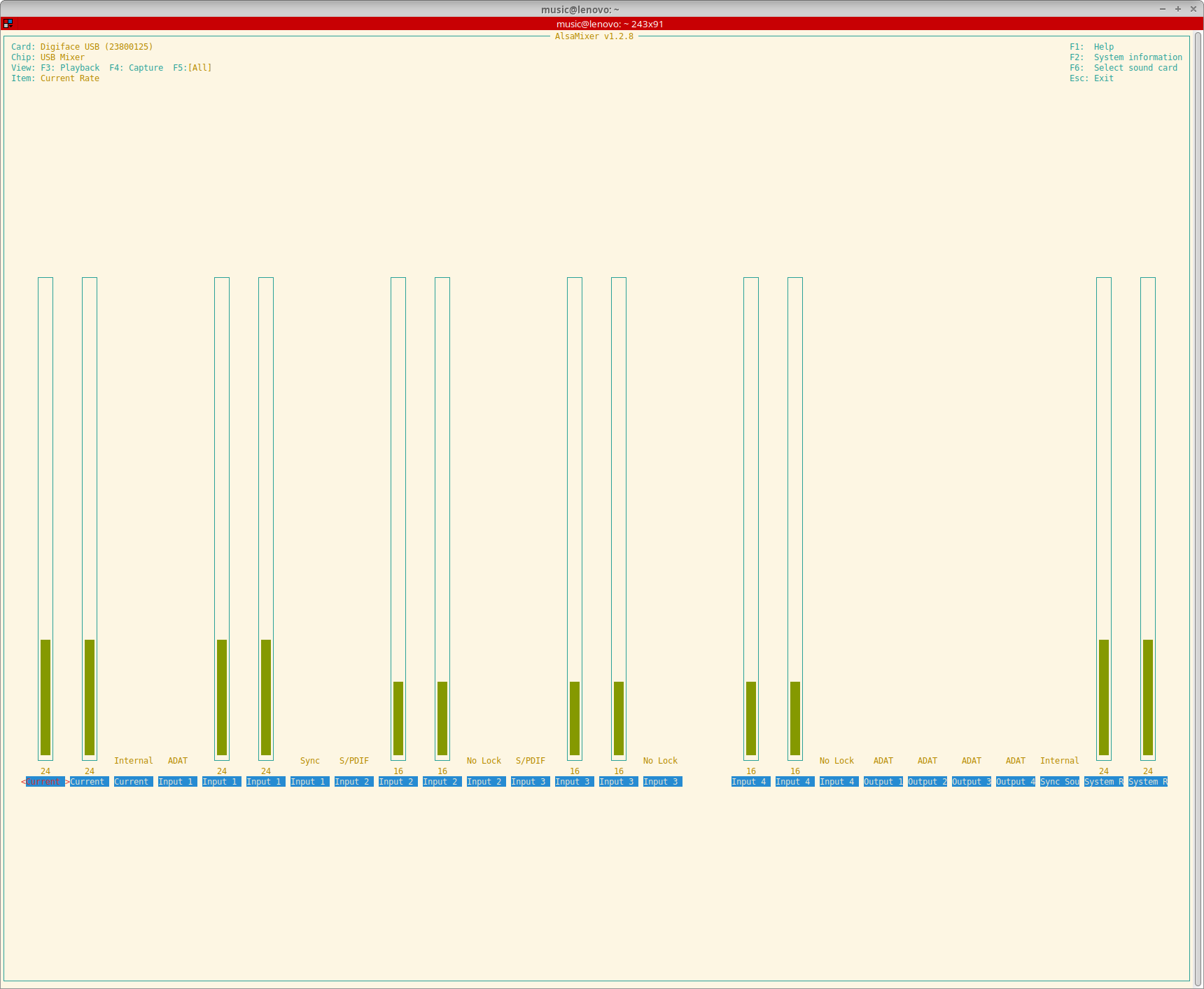
Screenshot of AlsaMixer showing all the controls available for the RME Digiface USB

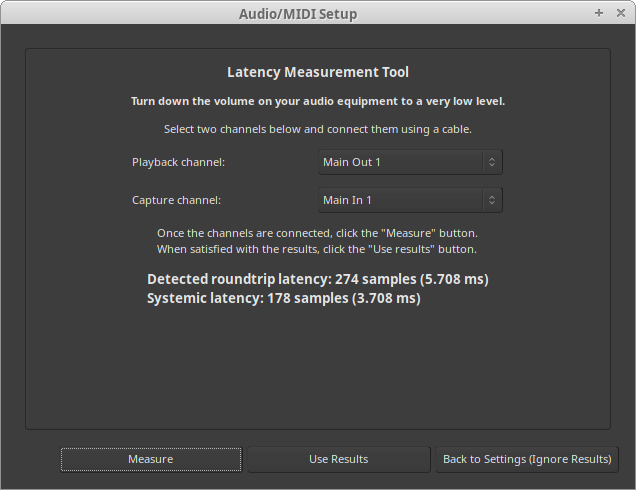
Have yet to test the Digiface USB with more than one ADAT device but with one device (a Behringer ADA8200) everything seems to work really well. Did some round-trip latency tests and with a buffer size of 16 samples and putting TotalMix in DAW mode (which had to be done on a different OS unfortunately but saved another 0.2 ms) I got it down to approximately 4.2 ms. Systemic latency with a buffer size of 16 samples and a sample rate of 48 KHz is 2 ms so somewhere a bit more than 2 ms of additional latency gets added. I think about 1.4 ms gets added by that converters if I did my maths right. According to the specs of the converters they add 22 samples (10 in and 12 out at 48 KHz). That leaves about 0.8 ms unaccounted for. Probably the USB bus buffer or something in the driver stack. Well, no real deal-breaker for me.
This image has an empty alt attribute; its file name is image-2.png
Ardour round-trip latency measurement with a buffer size of 32 and a 48KHz sample rate

Because I’m still on Debian 12 I couldn’t fully use the device with PulseAudio though. PulseAudio only supports devices with up to 32 channels in or out and since the Digiface has 34 output channels PulseAudio refused to output any audio through it. As a fix I added the following to the ~/.asoundrc file in my home directory:

pcm.snd_rme_digiface_usb {
    type multi
    slaves.rme.pcm "snd_output"
    slaves.rme.channels 34
    bindings.0.slave rme
    bindings.0.channel 32
    bindings.1.slave rme
    bindings.1.channel 33
}

pcm.snd_output {
    type hw
    card USB23800125
}

To make PulseAudio pick up this extra snd_rme_digiface_usb device I added the following to ~/.config/pulse/default.pa:

# RME Digiface USB
load-module module-alsa-sink device=snd_rme_digiface_usb

And now I can select the Digiface as an output source and use the phones output in a desktop session.
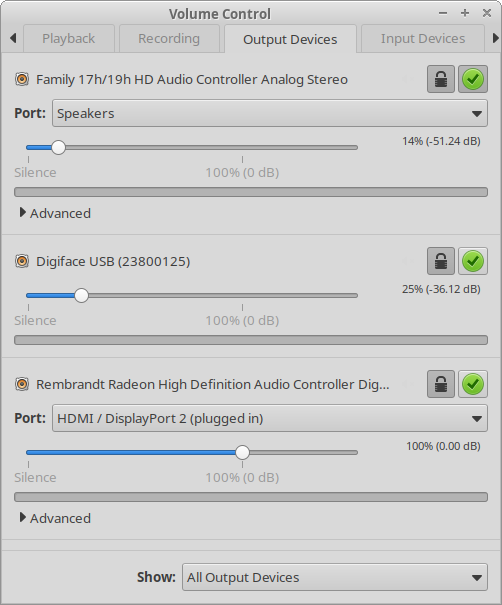
Screenshot of pavucontrol with the RME Digiface USB right in the middle

Another big bonus is the custom pouch my daughter made for it. I can now toss it in my bike bag without having to worry about dings or scratches.

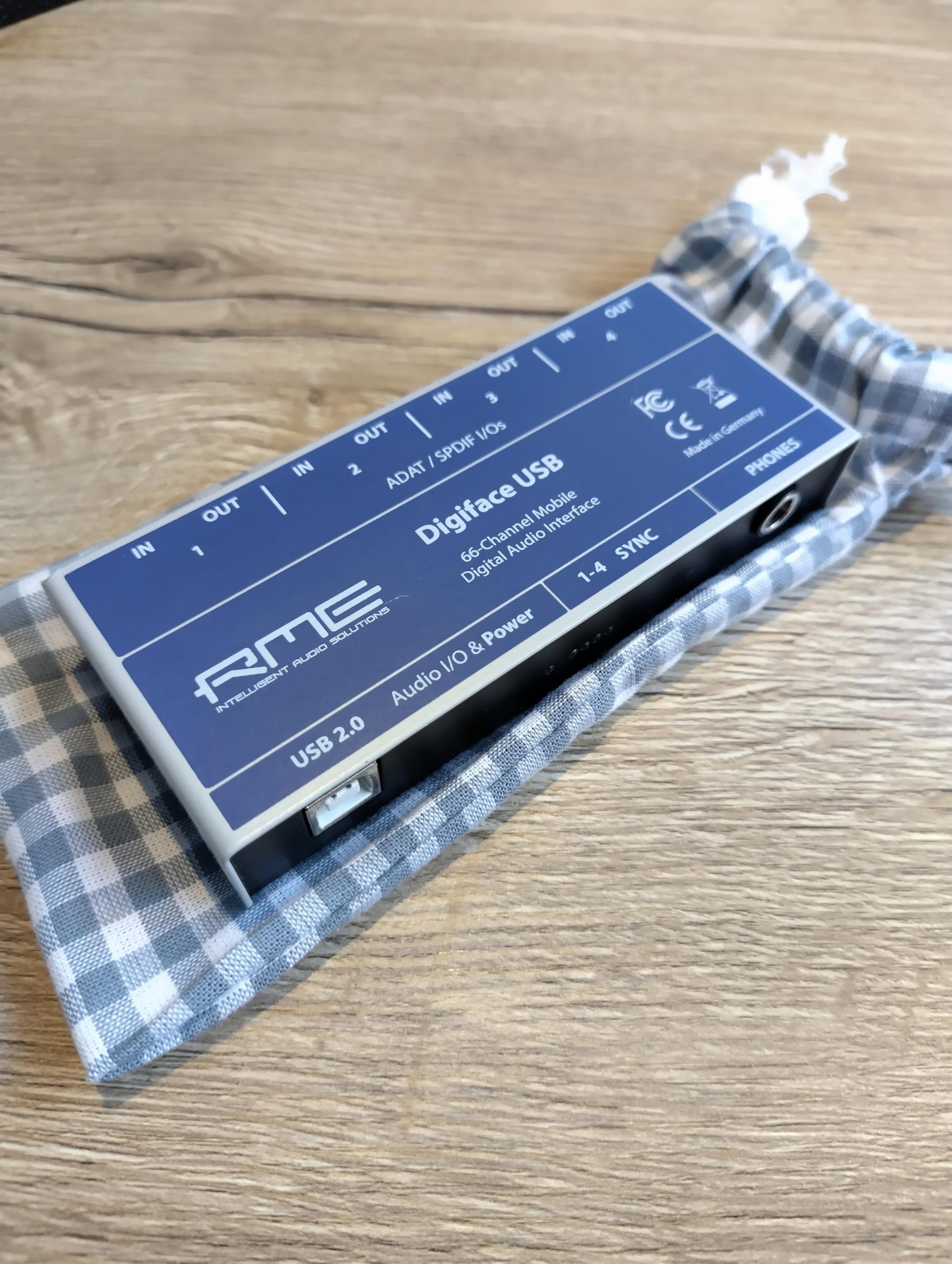
RME Digiface USB tucked in a custom cotton pouch
RME Digiface USB on top of its custom cotton pouch

RME Digiface USB on Linux

rtcqs v0.6.1 released

A new version of rtcqs, a Linux audio performance analyzer, is now available. Most notable changes include:

  • Fixed inconsistent use of single and double quotes
  • Replaced audio group check with a group agnostic check (fixes #4)
  • Governor check can now deal with systems that have SMT disabled
  • Tickless check now deals with all CONFIG_NO_HZ* variants and with nohz being set on the kernel command line (fixes #8)
  • File systems check has been expanded
  • IRQ check now loops through /sys/kernel/irq instead of parsing /proc/interrupts
  • rtprio check now checks if a SCHED_FIFO priority can be set instead of a SCHED_RR priority
  • Improved preempt RT check, check if “preempt=full” is part of the kernel command line (fixes #7)
  • Refactoring, created separate classes for main app, resources and GUI
  • Moved all packaging directives into pyprojects.toml

While working on this release I found out PySimpleGUI is not open source anymore so rtcqs’ GUI has become a bit of a moving target. I’m looking at alternatives like pygubu or even popsicle but that will be something for in the long run. In the short run there are more improvements in the pipeline. The swappiness check needs some attention and same goes for the IRQ check. I’ve been working on a different project to automate prioritizing IRQs and I’m planning to to reuse some parts of that project for the IRQ check in rtcqs. The idea is to have rtcqs not only list the status of all audio related IRQs but also any audio devices attached to those IRQs.

rtcqs is available on Codeberg, PyPI and is also included in the AUR.

rtcqs v0.6.1 released

Working on a stable setup

Next step for the synth module project was to get the Raspberry Pi 2 to run in a stable manner. It seems like I’m getting close or that I’m already there. First I built a new RT kernel based on the 4.1.7 release of the RPi kernel. Therefore I had to checkout an older git commit because the RPi kernel is already at 4.1.8. The 4.1.7-rt8 patchset applied cleanly and the kernel booted right away:

pi@rpi-jessie:~$ uname -a
 Linux rpi-jessie 4.1.7-rt8-v7 #1 SMP PREEMPT RT Sun Sep 27 19:41:20 CEST 2015 armv7l GNU/Linux

After cleaning up my cmdline.txt it seems to run fine without any hiccups so far. My cmdline.txt now looks like this:

dwc_otg.lpm_enable=0 dwc_otg.speed=1 console=ttyAMA0,115200 console=tty1 root=/dev/mmcblk0p2 rootfstype=ext4 rootflags=data=writeback elevator=deadline rootwait

Setting USB speed to Full Speed (so USB1.1) by using dwc_otg.speed=1 is necessary otherwise the audio coming out of my USB DAC sounds distorted.

I’m starting ZynAddSubFX as follows:

zynaddsubfx -r 48000 -b 64 -I alsa -O alsa -P 7777 -L /usr/share/zynaddsubfx/banks/SynthPiano/0040-BinaryPiano2.xiz

With a buffer of 64 frames latency is very low and so far I haven’t run into instruments that cause a lot of xruns with this buffer size. Not even the multi-layered ones from Will Godfrey.

So I guess it’s time for the next step, creating a systemd startup unit so that ZynAddSubFX starts at boot. And it would be nice if USB MIDI devices would get connected automatically. And if you could see somehow which instrument is loaded, an LCD display would be great for this. Also I’d like to have the state of the synth saved, maybe by saving an .xmz file whenever there’s a state change or on regular intervals. And the synth module will need a housing or casing. Well, let’s get the software stuff down first.

Working on a stable setup